Lilica helps you organise care for someone you love.

You can keep track of appointments, medicines, bills, home matters and everyday care needs all in one place, and share them with the family or carers who are helping.
Get it on
Google Play
Coming soon to the
App Store
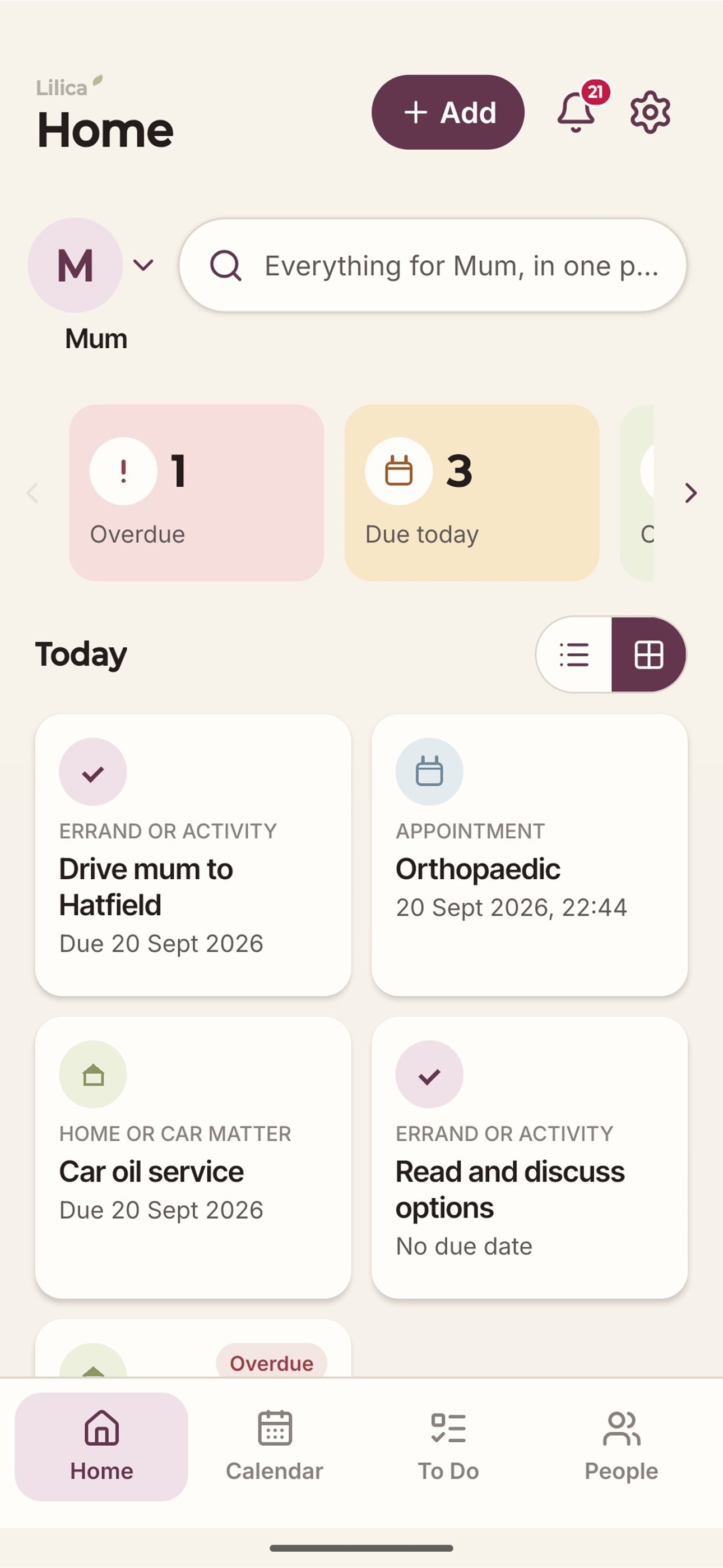
The Lilica Home screen, showing what is overdue, due today and coming up
Why we built it

Looking after someone is usually not just one person's job. It is often a few people, each doing what they can, and finding out about the rest later. An appointment gets missed, a bill goes unpaid, or nobody is sure if someone has already called the doctor. We built Lilica so that this information is kept in one place that everyone involved can see, instead of being remembered by one person or spread across lots of separate text messages.

Who it's for

Lilica is for anyone helping to look after another person, such as a parent, a partner, or an older relative who needs some support with everyday life. You might be the person mainly organising things, or one of a few people helping out. Lilica works well whether it is just you, or a whole family.

Why not just use a family group chat or text messages?

Many families try this first. It usually becomes difficult to keep track of, for a few reasons.
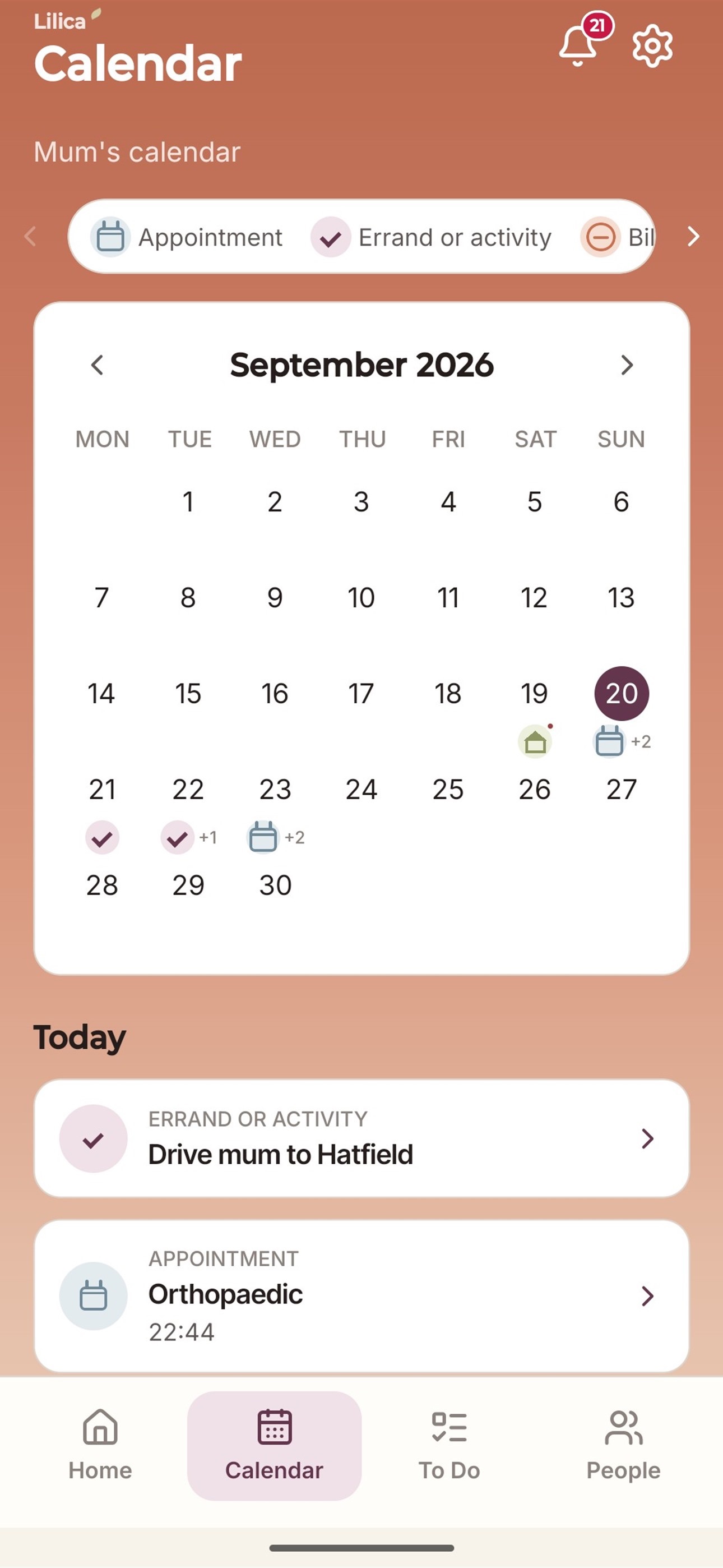
The Lilica Calendar screen
Messages get buried
In a group chat, a question like "has anyone booked the dentist?" can get buried under other messages within a day. In Lilica, you can see straight away whether something is overdue, due today, or already done, without scrolling back through old messages to find out.
Nothing reminds you if something is missed
For things that need doing every day or every week, such as giving medicine or checking in on someone, Lilica can keep track of whether it has actually been done. If nobody marks it as done, it stays visible, instead of getting lost further down a chat.
You can choose what each person sees
In a group chat, everyone usually sees everything. In Lilica, you can choose what each person is able to see, for example health information or money matters, so nothing is shared with someone by mistake.
You can get a clear summary when you need one
If someone new starts helping, or you are at an appointment, Lilica can put together a summary of what is happening right now. This is easier than trying to explain months of messages.

How it works

There is nothing to set up beyond what is described below.
1
Set up who you're caring for
This could be a parent, a partner, or yourself. It only takes a couple of minutes.
2
Add what needs tracking
Appointments, bills, medicines and care needs, added as they come up.
3
Invite who's helping
Family or carers join your Care Circle with just the access you choose.
4
Everyone stays in sync
Home shows what's overdue, due today, and coming up, for anyone who opens it.
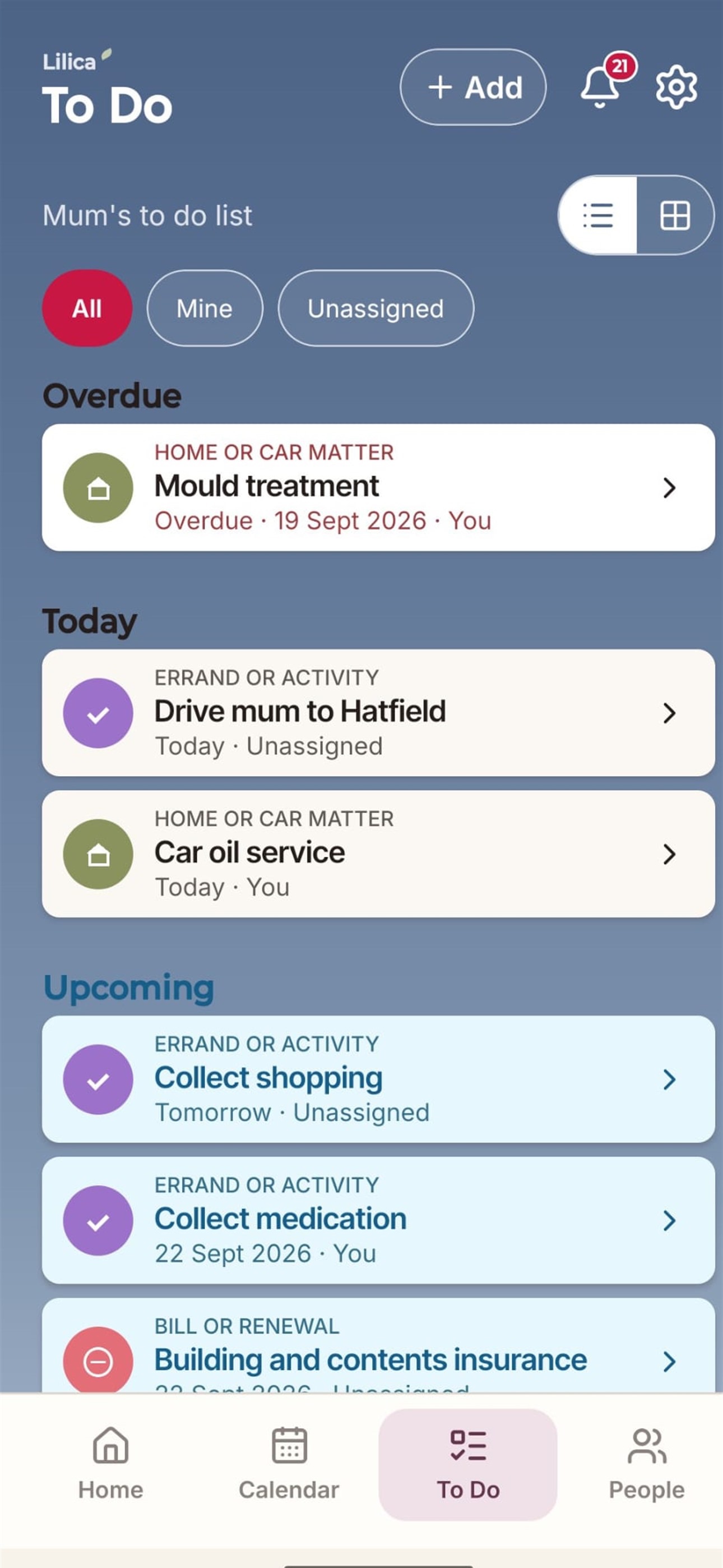
The Lilica To Do screen
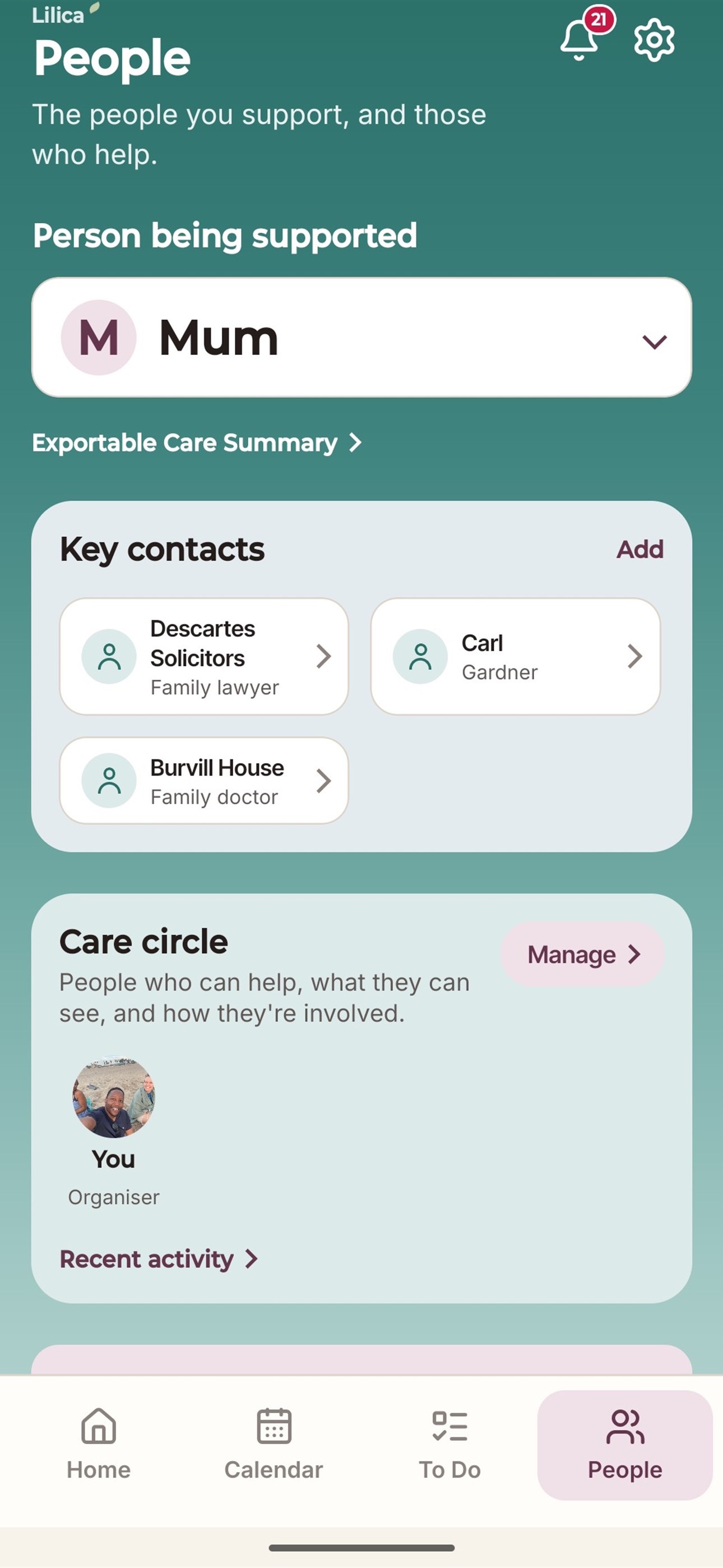
The Lilica Care Circle screen, showing who is helping

Help them live well, and age independently.

Everyone helping can stay up to date. Lilica works well from day one, even when it is just you, and more people can join in later.

How much does it cost?

Free for 60 days. Then £8.99 a year.

One subscription covers everyone in your Care Circle, with no per-person charges. You can cancel at any time.

Get Lilica on Google Play

Need help, or have an idea for us?

Whether something isn't working or you'd like to see a feature added, we read every message ourselves.

admin@luxfordinteractive.com